
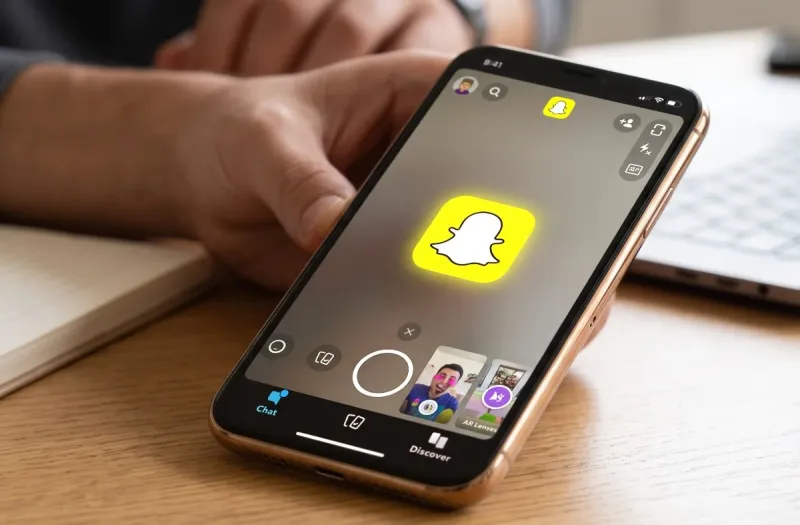
Open the App Store on any iPhone, head over to the top charts, and you will almost certainly find a familiar bright yellow ghost staring back at you. Snapchat has been a cornerstone of mobile communication for over a decade, navigating the volatile waters of social media while competitors continuously copied its best features. Yet, despite Instagram borrowing Stories and TikTok redefining viral video, Snapchat remains a permanent fixture on millions of Apple devices.
How does the app actually hold up on modern Apple hardware? Whether you are a long-time user wondering if the platform is still relevant or someone considering re-downloading it on a new iPhone, this comprehensive Snapchat apple apps review dives deep into performance, iOS-specific integration, camera fidelity, privacy concerns, and overall everyday usability.
The Apple Ecosystem Advantage: Built for the iPhone Camera
It is an open secret in the mobile tech world that Snapchat has always favored iOS. During the early days of social video apps, Android clients simply captured a screen recording of the camera viewfinder rather than tapping into the hardware sensor directly. On iOS, however, Snap Inc. built deeply integrated software that harnessed Apple’s advanced image signal processors (ISPs).
Today, that integration remains one of the strongest reasons to use the app on an iPhone:
-
True Sensor Utilization: When taking a photo or recording high-framerate video in Snapchat on iOS, the app leverages Apple’s Smart HDR, optical image stabilization, and native night photography features far better than many cross-platform social clients.
-
TrueDepth Camera & AR Lenses: Apple’s Face ID hardware (the TrueDepth sensor array) transforms augmented reality lenses from simple digital overlays into genuine 3D projections. Face-tracking lenses cling cleanly to facial contours, match micro-expressions, and handle fast head turns without clipping or stuttering.
-
Lock Screen & Action Button Utility: On modern devices equipped with customizable Lock Screen shortcuts or the Action Button, launching straight into Snapchat to capture fleeting moments is near-instant, cutting down friction when you want to send a rapid reply.
Also read: Bing Apple Apps Review
Interface & Navigation: Dynamic, Fast, and Occasionally Chaotic
The classic Snapchat philosophy—launching directly into the camera viewfinder rather than an infinite text or photo feed—remains its defining strength. It immediately asks you to create rather than consume.
Navigating the app follows the standard five-pane gesture layout:
-
Map (Far Left): The Snap Map displays shared locations, local community events, and Bitmoji activity for opted-in contacts.
-
Chat (Left): Direct messages, ephemeral media threads, audio notes, and group chats live here.
-
Camera (Center): The default landing pad for photo/video creation, lens browsing, and director mode tools.
-
Stories (Right): Posts from friends, followed creators, and subscribed media publishers.
-
Spotlight (Far Right): Snapchat’s algorithmic short-form video feed, functioning as its internal TikTok and Reels counterpart.
While this five-tab structure makes functional sense, navigating deeper menus can occasionally feel messy. Discover content and algorithmic recommendations can clutter your friends’ shared updates, requiring an extra beat to separate authentic social check-ins from algorithmic clickbait.
Core Features Breakdown
To provide a well-rounded Snapchat apple apps review, let’s look under the hood at the platform’s primary communication pillars.
1. Ephemeral Messaging & Friend Connections
Snapchat still excels at conversational intimacy. Because messages disappear by default after viewing (or 24 hours depending on chat preferences), communication feels lower-stakes and more spontaneous than the polished permanence of iMessage or WhatsApp.
The Chat screen on iOS is responsive, featuring:
-
Native-feeling haptic feedback when sending or clearing messages.
-
Voice notes with real-time audio waveforms.
-
Seamless sharing of links, photos from your Apple Photos library, and saved memories.
Streaks—the visual badge tracking consecutive days of back-and-forth snaps—remain an unmatched gamification mechanic, keeping friend groups actively checking in day after day.
2. Snap Map & Location Privacy
The Snap Map is arguably one of the most sophisticated geospatial social layers ever built for mobile. Powered by vector mapping that renders smoothly on Retina displays, it lets you see what friends are up to, explore global events via user-submitted snaps, and discover popular local spots.
Crucially for Apple users, Snap Map respects iOS location permissions:
-
You can easily toggle Ghost Mode to disappear completely from the map while retaining the ability to view friends who choose to share their location.
-
You can limit location visibility to custom friend lists rather than broadcasting to every contact.
3. Memories and Cloud Storage
The Memories feature acts as a private, searchable cloud vault within your camera roll. It organizes past snaps by date, location, and year-in-review summaries. The "My Eyes Only" section adds an extra PIN-protected layer for sensitive photos, ensuring that letting a friend flip through your phone does not expose private moments.
Snapchat vs. Native Apple Communication
Many users question why they should install a third-party chat app when Apple's built-in tools (iMessage and FaceTime) are already baked into iOS. Here is how they stack up:
| Feature / Metric | Snapchat for iOS | Apple iMessage / FaceTime |
| Primary Focus | Ephemeral visual communication | Permanent text & multimedia messaging |
| Cross-Platform Access | iOS, Android, and Web | Apple Ecosystem Only |
| Augmented Reality Filters | Industry-leading 3D AR library | Basic Memoji and simple effects |
| Storage Impact | Low local cache; cloud-centric | Stores media locally unless offloaded to iCloud |
| Social Discovery | Snap Map, Stories, Spotlight | Direct address book connections only |
| Visual Tone | Casual, quick, unpolished | Formal, archival, structured |
While iMessage is unbeatable for reliable daily texting and group project coordination, Snapchat fills the niche of visual, spontaneous hangouts where nothing needs to be saved for posterity.
Snapchat+ (Plus): Is the Subscription Worth It on iOS?
Snapchat introduced its paid subscription tier, Snapchat+, granting users access to experimental features, exclusive cosmetic icons, and utility badges.
Available via in-app purchase through your Apple Account, the subscription offers:
-
Custom app icons that let you personalize your iPhone home screen.
-
Extended Story expiration windows (up to one week).
-
Story re-watch indicators and pinned best-friend indicators.
-
Priority Story replies to popular creators.
For casual communicators, the free tier includes everything necessary for daily chatting and photo sharing. However, power users who live on the app and value deep profile customization will find the monthly subscription pricing accessible and well-integrated with Apple’s native subscription management.
iPad, Mac, and Apple Watch: How Good Is the Broader Ecosystem Support?
While Snapchat shines on the iPhone, its performance across the rest of the Apple device family reveals a few blind spots:
The iPad Experience
For years, iPad users had to settle for a scaled-up, low-resolution iPhone layout. While modern iPadOS handles the app reasonably well, the interface still feels primarily phone-first. It functions well for video calls or reviewing chats on a larger screen, but it does not fully take advantage of iPadOS multitasking, Stage Manager, or split-view workspaces.
Apple Watch
The Apple Watch companion experience is lightweight. You can view basic notification alerts and see who sent a snap, but you cannot preview full image snaps or compose rich replies from your wrist. It serves strictly as a quick triage utility.
Web for Mac (Safari & Chrome)
Snapchat Web lets you log in via Safari or Chrome on a Mac to handle text conversations, make voice calls, and view snaps on a desktop monitor. It bridges the gap for users working at their computers all day who prefer not to pick up their phones to maintain their chat threads.
Battery Life, Performance, and Privacy Considerations
No honest review is complete without discussing device resources and privacy.
Power Consumption
AR-heavy applications demand significant GPU and neural engine power. If you spend prolonged periods experimenting with complex 3D facial filters, recording continuous high-resolution video clips, or browsing the live Snap Map, you will notice increased battery draw and mild warmth around the camera module. For basic text chatting and viewing stories, power usage remains modest and comparable to standard messaging apps.
Privacy Safeguards on iOS
Snapchat complies with Apple’s App Tracking Transparency (ATT) framework. Upon installation, the app requests permission to track activity across third-party apps and websites—a prompt that privacy-conscious users can easily decline with a single tap without breaking core app functionality.
Additionally, Snapchat uses standard green and orange iOS privacy indicators whenever the microphone or camera sensors are engaged, giving you complete visibility over when recording hardware is active.
Final Verdict: An Essential Download for Visual Communicators
Wrapping up this Snapchat apple apps review, the platform proves that it is far more than a passing teenage trend. By consistently refining its code for Apple’s camera hardware, embracing modern iOS design paradigms, and maintaining a playful, low-pressure approach to messaging, Snapchat holds its ground as an essential social utility.
Download Snapchat if:
-
You prefer communicating through quick video snippets and spontaneous photos rather than endless text blocks.
-
You love exploring cutting-edge augmented reality filters that run smoothly on Apple hardware.
-
You want a cross-platform visual channel to stay connected with friends across both iOS and Android.
Skip it if:
-
You prefer permanent chat histories and searchable long-term message archives.
-
You want an app optimized specifically for larger tablet displays like the iPad.
-
You find algorithmically driven feeds and notification streaks distracting.
For the vast majority of iPhone owners, Snapchat remains one of the fastest, most entertaining, and visually inventive ways to stay in touch with the people who matter most.




Comments
No comments yet. Be the first to ask a question or share an update.
Leave a comment
Your mobile number is never published. Comments appear after review. Website links, email addresses and code are not allowed.