
Every time you tap open a standard mobile browser, an invisible auction kicks off. Within milliseconds, dozens of data brokers, tracking scripts, and advertising networks bid on your profile, logging your location, reading your device fingerprint, and noting exactly what you read. On desktop, fighting this is easy enough with a handful of extensions. On a smartphone, however, bloated web pages and sneaky background telemetry can turn simple browsing into a slow, data-chugging chore.
Enter Brave.
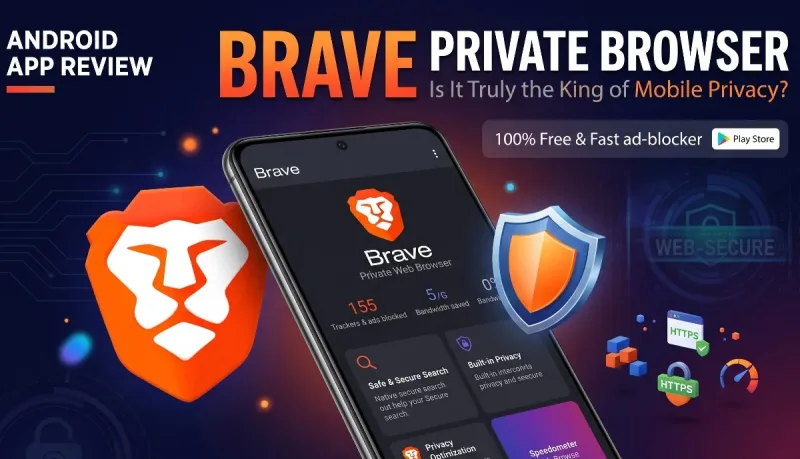
If you have spent any time searching for privacy-focused tools on the Google Play Store, you have likely come across the orange lion logo. In this in-depth Brave Private Browse android apps review, we examine what Brave actually does under the hood, how it holds up in day-to-day use, where it stumbles, and whether it deserves to be your default Android browser.
What Sets Brave Apart on Android?
Most alternative browsers fall into one of two extremes: either they are standard Chromium clones with a custom skin and no real privacy advantages, or they are stripped-down "hardcore" privacy tools (like Tor Browser or DuckDuckGo Private Browser) that clear your session entirely every time you leave, breaking logins and persistent workflows.
Brave sits directly in the sweet spot between those worlds. Built on Google’s open-source Chromium engine, it looks and behaves like Chrome. The menus, address bar behavior, and tab management will feel immediately natural.
The fundamental difference lies in what Brave strips away and what it builds in natively.
Instead of requiring you to hunt down ad-blocking add-ons, install script blockers, or configure DNS settings, Brave ships with all these protections built into the browser core. The company calls this system Brave Shields, and it acts as an aggressive barrier between your phone and the web’s tracking ecosystem.
Also read: An Honest, Long-Term Firefox Android Apps
Core Features Breakdown
1. Brave Shields: The Real Star of the Show
Brave Shields isn’t just an ad-blocker; it is a multi-layered security engine running directly inside the app. When you tap the small lion icon next to the address bar, you get a clean breakdown of what is being filtered on that specific page:
-
Cross-Site Tracker Blocking: Stops tracking beacons and analytics engines from following you across different websites.
-
Aggressive Ad Blocking: Removes intrusive display ads, sticky footer banners, autoplay video ads, and interstitial popups before they even load.
-
Fingerprint Protection: Standardizes your browser characteristics (screen resolution, fonts, device parameters) so third-party trackers cannot uniquely identify your phone.
-
Automatic HTTPS Upgrades: Forces secure connections wherever supported.
-
Block Scripts (Optional): For power users who want an extra layer of security, you can kill JavaScript across the board or per domain.
Because Shields operates at the network level before elements render, pages do not just look cleaner—they load noticeably faster.
2. Built-in Background Video Playback
One of the most practical everyday features in Brave on Android is Background Playback. In standard Chrome, navigating away from a video or locking your phone instantly pauses playback unless you subscribe to premium services.
With Brave, you can toggle a single setting (Settings > Background play), and any web video—including lectures, tutorials, music playlists, or podcasts—keeps playing with your screen completely locked. For anyone who listens to audio-heavy content while commuting or working out, this feature alone makes the app worth installing.
3. Integrated Leo AI Assistant
Modern mobile browsers are increasingly turning into AI portals, and Brave has integrated its own privacy-first AI assistant, named Leo.
Unlike web-based AI tools that track your identity and log your inputs against an account profile, Leo processes queries with privacy protections:
-
Chat requests are submitted anonymously through reverse-proxy servers.
-
Conversations are not retained on host servers to train models.
-
No account login is strictly required to use the basic tier.
On Android, Leo is handy for summarizing dense articles, breaking down complex Reddit threads, or translating text on the fly without having to leave your active tab.
4. Background Data and Battery Savings
Mobile ads and tracking scripts are not just annoying; they waste measurable resources. When a webpage loads ten different video ad units and fifteen analytics scripts, your mobile processor works harder and consumes more battery power, all while eating into your monthly data allowance.
Brave keeps a running tally right on its new-tab dashboard showing:
-
Trackers and ads blocked
-
Data bandwidth saved
-
Estimated time saved
While the exact numbers are rough calculations, real-world battery efficiency is definitely noticeable on budget and mid-tier Android devices, which often struggle with heavy script execution.
5. Sync Without an Account
Most browsers lock your bookmarks, passwords, and history behind an email account (Google Account for Chrome, Mozilla Account for Firefox). If you want your data across devices, you must tie your identity to a company server.
Brave takes a different path. It uses an end-to-end encrypted Sync Chain. To sync your Android device with your laptop or tablet, you simply scan a QR code or enter a 24-word recovery phrase. No email address, no password creation, and no central identity database. Your data is encrypted on your device before it ever touches the sync servers.
Daily Performance: What It Feels Like in Real Use
Putting technical specifications aside, how does Brave actually perform during daily usage?
Speed and Page Rendering
Browsing feels snappy. Testing on mid-range and flagship Android phones reveals consistent page loads with zero layout stuttering. Web pages that are normally borderline unusable due to bouncing ads and full-screen modals—like local news outlets or recipe blogs—load cleanly.
Because Brave shares the Chromium engine, site compatibility is virtually 100%. In our testing across hundreds of websites, broken page layouts were rare. If a site’s anti-adblock script ever causes an issue, tapping the lion icon lets you toggle Shields down for that specific domain with two taps.
UI and Usability
Mobile screens have gotten taller, making single-handed navigation harder. Brave addresses this by allowing you to move the main navigation toolbar to the bottom of the screen (Settings > Appearance > Bottom toolbar). Having your tab switcher, search bar, home button, and menu right by your thumb makes one-handed browsing vastly more comfortable.
The Brave Ecosystem: BAT and Crypto (The Elephants in the Room)
You cannot write an honest review of Brave without addressing Brave Rewards and the Basic Attention Token (BAT).
Brave features an opt-in advertising model:
-
If you turn on Brave Rewards, the browser occasionally serves private system notifications containing sponsored ads.
-
In exchange for viewing these privacy-respecting ads, you earn fractional amounts of BAT cryptocurrency.
-
You can tip creators, hold the tokens, or cash them out via supported custodial wallets.
For some users, this concept is an innovative attempt to fix web monetization without mass surveillance. For others, crypto integrations feel like unnecessary bloat.
The important reality: Everything related to Brave Rewards, BAT, and the integrated crypto wallet is completely optional and disabled by default. If you do not care about Web3 or crypto tokens, you never have to turn them on. You can hide the rewards icons from your interface in the settings, leaving behind a clean, bloat-free browser.
Pros and Cons: A Realistic Assessment
To keep this assessment balanced, here is a summary of where Brave excels and where it falls short compared to mobile rivals:
The Strengths
-
Zero Configuration Needed: You get top-tier ad and tracker blocking right out of the box.
-
Chromium Core: Complete web compatibility and familiar interface controls.
-
Background Audio: Play audio and video streams with your phone display locked.
-
Bottom Toolbar Mode: Ergonomic layout for modern large-screen smartphones.
-
Account-Free Syncing: Encrypted QR-code sync chain preserves user privacy.
-
Measurable Data Savings: Significantly cuts mobile data usage on media-heavy pages.
The Weaknesses
-
No Android Extension Support: Unlike mobile Firefox, Kiwi, or Kiwi-derived forks, Brave for Android does not support installing arbitrary Chrome extensions. You are limited to the built-in feature set.
-
Crypto Marketing: Even though it is disabled by default, the presence of Web3 wallet toggles and rewards settings can turn off privacy minimalists.
-
Chromium Monoculture: Because it relies on Blink/Chromium, using Brave still indirectly supports the rendering engine dominated by Google.
Brave vs. The Competition
| Feature | Brave Browser | Google Chrome | Firefox Mobile | DuckDuckGo App |
| Default Ad Blocking | Native & Aggressive | Minimal / Non-existent | Requires Extension | Basic Tracker Block |
| Extension Support | No | No | Yes (Curated add-ons) | No |
| Engine | Chromium | Chromium | Gecko | WebKit / Android WebView |
| Account-Free Sync | Yes (Encrypted Chain) | No (Google Account) | No (Firefox Account) | No Sync |
| Background Video | Yes (Built-in) | No | Requires Extension | No |
| Fingerprint Shield | Yes (Built-in) | No | Basic | Basic |
-
Compared to Google Chrome: Brave beats Chrome on Android in virtually every category except native Google account auto-fill. Chrome runs heavier, consumes more data, and tracks your activity for ad targeting.
-
Compared to Firefox: Firefox on Android has the huge advantage of supporting extensions like uBlock Origin, and it runs on an independent engine (Gecko). However, Brave consistently outpaces Firefox in raw rendering speed and general UI responsiveness on mobile hardware.
-
Compared to DuckDuckGo: DuckDuckGo’s browser is great for quick, throwaway searches, but it lacks the tab management, persistent customization, and raw rendering muscle of Brave for sustained everyday use.
Recommended Settings for Maximum Android Privacy
If you decide to install Brave, spend two minutes tweaking these settings to get the absolute best experience:
-
Move Navigation to the Bottom: Go to
Settings > Appearanceand enable Bottom toolbar. -
Enable Background Play: Go to
Settings > Display(orBackground play) and turn it on to keep media playing when switching apps or locking your phone. -
Set Up Close Tabs on Exit: If you prefer a fresh slate each time, head to
Settings > Privacy and securityand configure your session-clearing preferences. -
Disable Web3/Rewards UI (Optional): If you don’t care about cryptocurrency, go to
Settings > Brave Rewardsto verify it is switched off, and disable wallet prompts in the appearance menu to keep the UI clean. -
Verify Shields Configuration: Under
Settings > Shields & privacy, set tracker and ad blocking to Aggressive if you want maximum blocking power without breaking common sites.
Final Verdict
The mobile browser market is crowded, but genuinely secure options that don't sacrifice user experience are rare.
Many privacy tools feel like punishment—clunky interfaces, broken page layouts, and tedious workflows that make you want to crawl back to Chrome. Brave’s greatest triumph is that it makes everyday privacy effortless. You download it, set it as your default browser, and immediately browse a cleaner, faster, quieter internet.
The crypto elements remain a point of discussion for some, but because they are strictly opt-in and easily hidden, they rarely get in the way of regular web browsing.





Comments
No comments yet. Be the first to ask a question or share an update.
Leave a comment
Your mobile number is never published. Comments appear after review. Website links, email addresses and code are not allowed.